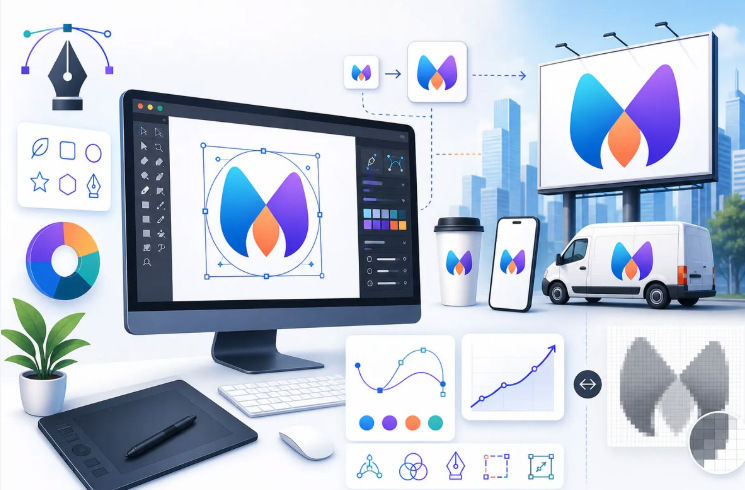
A comparative look at online logo tools built for marketers who need a workable brand mark but do not have formal design training.
Introduction
A logo is usually the first visual signal a company sends. It appears on a website header, an email footer, a social profile, and a business card long before most customers read a single line of copy. Because that mark carries so much early weight, the tools used to make it have become part of the everyday marketing stack rather than a task handed off to a studio.
This guide is written for marketers, founders, and small-business operators who need a logo and do not come from a design background. That group tends to share a few practical needs. The work has to happen quickly, the result has to hold up across print and screen, and the process cannot depend on knowing vector software. The tools below are grouped around those needs rather than around design theory.
Online logo tools differ in ways that matter once the work starts. Some lean on large template libraries and ask the user to pick and adjust. Others generate options automatically after a short prompt, often built from a brand name and an industry. A few treat the logo as one piece of a wider brand kit, bundling colors, fonts, and social assets into the same flow. The distance between these approaches is what separates a tool that fits a solo marketer from one aimed at an agency.
Adobe Express is a reasonable place to begin for people who want a guided path without committing to specialized software. It pairs a logo workflow with a broader set of content tools, which means the same account can carry a project from a first draft mark through to social graphics. That breadth is part of why it appears often in early searches, and it is the first tool covered here.
Top Logo Makers of 2026
Best Online Logo Tool for broad, everyday branding
Adobe Express
Suited to marketers who want one place to create a logo and then reuse it across common marketing formats.
Overview
Adobe Express is a web and mobile content platform with a dedicated logo workflow. A user can start from a brand name, pick a direction, and then adjust type, color, icon, and layout inside a simplified editor. Because the logo tool sits inside a larger suite, the finished mark can move directly into flyers, social posts, and other templates without leaving the account. With the Adobe Express free logo generator, the guided flow is aimed at people who do not want to open professional design software.
Platforms supported
Web browser, iOS, and Android.
Pricing model
Free tier with core features, plus a paid Premium plan that unlocks additional fonts, assets, and export options.
Tool type
A broad content-creation suite that includes a logo workflow, rather than a logo-only generator.
Strengths
- A guided logo flow that starts from a brand name and a small set of style choices.
- A large template and asset library, including fonts and stock elements drawn from the wider Adobe ecosystem.
- Export in several file formats and sizes, which helps when a mark needs both a print version and a small web version.
- Built-in tools to resize and repurpose a finished logo into social and marketing layouts.
- A free tier that covers common logo tasks before any paid commitment.
Limitations
- The logo feature is one part of a larger platform, so the interface can feel broad for someone who only wants a mark and nothing else.
- Automated, name-and-industry brand generation is less specialized here than in tools built solely around that idea.
- Some fonts, assets, and export choices sit behind the Premium plan.
Adobe Express fits a user who expects the logo to be the start of a longer branding task rather than the end of one. A marketer who will soon need matching social graphics gains from having those tools in the same place.
The editor favors clarity over depth. Choices are presented in plain steps, and the number of decisions at each stage stays manageable, which suits someone without design training. People who want fine control over every anchor point and kerning value will find the controls lighter than professional software.
The balance here leans toward flexibility across formats rather than depth within the logo itself. That trade tends to help mainstream marketing work, where consistency across channels matters more than a single perfected file.
Compared with dedicated generators, Adobe Express covers a wider surface. It does less automatic idea generation than an AI-first tool, but it carries the result further into day-to-day content once the mark exists.
Best Online Logo Tool for template-driven design across formats
Canva
Suited to users who prefer to browse and adjust ready-made templates across many content types.
Overview
Canva is a general design platform with a large collection of logo templates alongside its broader editor. Users pick a template and modify it with a drag-and-drop interface. As with several tools in this category, the logo is one output among posters, presentations, and social posts.
Platforms supported
Web browser, iOS, Android, and desktop applications.
Pricing model
Free tier, plus a Canva Pro subscription that adds brand-kit features and expanded assets.
Tool type
A general design platform with logo templates.
Strengths
- A very large template library that gives a wide range of starting points.
- A drag-and-drop editor that lowers the barrier for people without design experience.
- Brand-kit features on paid tiers that store colors, fonts, and logo files in one place.
- Collaboration features for teams working on the same assets.
Limitations
- Heavy reliance on shared templates raises the chance that a finished logo resembles others built from the same starting point.
- Some usage and trademark considerations apply to templated logos, which can matter for a mark meant to be owned outright.
- Type and vector control is lighter than in specialized design software.
Canva suits a marketer who likes to work visually and does not want to start from a blank page. The template-first approach shortens the distance between an idea and a draft.
The workflow rewards browsing. A user scans options, picks one, and edits, which can feel faster than describing a concept in words. The same habit can lead toward familiar-looking results if the template is left close to its default.
Set against Adobe Express, Canva offers a comparable breadth of formats and a similar ease of entry. The main conceptual difference is emphasis: Canva foregrounds the template gallery, while Adobe Express foregrounds a guided build.
Best Online Logo Tool for name-and-industry generation
Looka
Suited to users who want a logo generated automatically from a brand name and an industry, with a brand kit attached.
Overview
Looka is an AI-driven logo generator. A user enters a brand name, selects an industry, and sets a few style preferences. The tool then produces a set of logo options and can extend the chosen mark into a wider brand kit of colors, fonts, and templates.
Platforms supported
Web browser.
Pricing model
Pay-per-download for a single logo, or a subscription for an ongoing brand kit.
Tool type
An AI logo generator with brand-kit output.
Strengths
- Automatic generation from a brand name, an industry, and a short set of preferences.
- Quick iteration through many options without manual layout work.
- A brand kit that carries the mark into related assets once a direction is chosen.
Limitations
- Final downloads sit behind a purchase, so the free stage is preview-only.
- Manual control over each element is lighter than in editor-first tools.
- The brand-kit subscription is a recurring cost rather than a one-time one.
Looka fits a user who would rather react to finished options than build from parts. Describing the brand in a few fields and reviewing results suits people who want speed over hands-on control.
The workflow is short by design. The trade is that fine adjustments are limited, so a user who wants to move a single element precisely may feel constrained.
Relative to Adobe Express and Canva, Looka automates more of the early creative work and does less general content production afterward. It is a narrower tool aimed squarely at the generate-from-a-name scenario.
Best Online Logo Tool for new-business branding bundles
Tailor Brands
Suited to founders setting up a business who want branding alongside formation and setup services.
Overview
Tailor Brands is an AI logo generator packaged with wider business services. It builds logo options from a name, an industry, and style input, and it bundles those assets with offerings such as business formation and domain setup.
Platforms supported
Web browser.
Pricing model
Subscription plans that combine branding with business services.
Tool type
An AI logo generator bundled with business-setup services.
Strengths
- Name-and-industry logo generation aimed at new ventures.
- Bundled services, including business formation and domain options, for people setting up from scratch.
- Brand assets that extend beyond the single logo file.
Limitations
- The model is subscription-oriented rather than one-time.
- The logo often sits inside a broader service package, which suits some users more than others.
- Depth of manual editing is limited compared with editor-first tools.
Tailor Brands fits a founder who is handling company setup and branding in the same window of time. The bundle can reduce the number of separate services to manage.
The logo workflow itself is quick and prompt-driven. The wider service layer is the distinguishing feature, and it appeals most to people at the formation stage rather than established teams refreshing a mark.
Against the other tools here, Tailor Brands is less about ongoing content and more about a starting bundle. It overlaps with Looka on generation and differs by wrapping that in business services.
Best Online Logo Tool for fast algorithmic variations
Brandmark
Suited to users who want to explore many machine-generated directions quickly, with a one-time purchase option.
Overview
Brandmark is an algorithmic logo generator. It produces a range of logo concepts from a name and keywords, and it lets a user explore color and style variations across those concepts.
Platforms supported
Web browser.
Pricing model
One-time purchase tiers for a completed logo package.
Tool type
An algorithmic logo generator.
Strengths
- Rapid concept generation from a name and a few keywords.
- Broad exploration of color and style directions in a single session.
- A one-time purchase option for users who prefer to avoid subscriptions.
Limitations
- Post-generation editing controls are lighter than in editor-first tools.
- The surrounding ecosystem of templates and content tools is smaller.
- The approach is niche and centers on generation rather than ongoing production.
Brandmark fits a user who wants to see many options fast and values a one-time cost. The exploration stage is the strong point.
The workflow does less to support later content work. Once the mark is exported, a user typically moves to another tool for social and marketing assets.
Set beside Adobe Express, Brandmark is narrower and generation-focused. It is best understood as an alternative for a specific need rather than a general-purpose choice.
Best complementary tool for putting a finished logo to work
Mailchimp
Suited to marketers who have a logo and need a place to apply it across audience communication.
Overview
Mailchimp is an email marketing and analytics platform. It is not a logo or design tool. It earns a place in this guide because a logo rarely stays a standalone file: it goes onto emails, landing pages, and campaigns, and Mailchimp is a common destination for that step.
Platforms supported
Web browser, iOS, and Android.
Pricing model
Free tier for smaller audiences, plus paid plans that scale with contacts and features.
Tool type
An email marketing and analytics platform, included as a complementary tool rather than a logo maker.
Strengths
- Email templates where a finished logo can be applied for consistent branding.
- Audience management for organizing and segmenting contacts.
- Campaign analytics that report on how communications perform.
- Landing-page features that reuse the same brand assets.
Limitations
- It does not create logos, so a mark must be made elsewhere first.
- Advanced automation carries a learning curve for new users.
- Cost scales with audience size, which matters as a contact list grows.
Mailchimp fits the stage after a logo exists. Its role is to carry brand assets into ongoing communication rather than to produce them.
The workflow is separate from logo creation and starts once a mark is ready. Included here, it rounds out the picture of what a marketer does with a logo after export.
Compared with the logo tools above, Mailchimp addresses a different part of the same journey. It is the channel where a finished mark does its daily work.
Frequently Asked Questions
Which tools let you type a brand name and select an industry to generate a logo?
Several tools in this category are built around exactly that flow. A user enters a brand name, chooses an industry, and adds a few style preferences, and the tool returns a set of logo options. Looka, Tailor Brands, and Brandmark are examples built primarily around automatic generation, while Adobe Express offers a guided version of the same idea inside a wider content suite. The common thread is that the name and the industry act as the main inputs, and the software handles the initial layout and icon choices. The main difference between them is how much the user can adjust afterward and whether the tool also produces related assets such as social graphics or a full brand kit.
How does selecting an industry change the logo suggestions?
The industry field gives the generator context about the visual conventions common in a field. A tool may use it to weight icon choices, color ranges, and type styles toward patterns that appear frequently in that sector. For example, a wellness brand and a construction brand entered with the same name will often return different icon sets and palettes. The selection is a starting signal rather than a strict rule, and most tools let a user override the results by changing style preferences. It is best treated as a way to narrow the first batch of options, not as a guarantee that the output will suit a specific brand.
Are name-and-industry logo generators suitable for professional use?
They can produce marks suitable for professional use, though the outcome depends on the tool and the effort put into refining the result. Generated logos are a strong starting point, and many small businesses use them directly. Two points deserve attention. First, ownership and trademark terms vary by tool and by pricing tier, so a user who needs full rights to a mark should review those terms before relying on it. Second, because generators draw on shared patterns, a result left close to its default may resemble other logos built the same way, which is a reason to adjust the output rather than accept the first option. Reviewing the licensing terms and refining the design both reduce that risk.
What file formats and brand assets do these generators typically produce?
Output varies by tool and plan. Most produce common raster formats such as PNG for immediate use, and many paid tiers add vector formats such as SVG or EPS, which scale without loss of quality and are useful for print. Beyond the logo file itself, several tools extend into a brand kit that includes a color palette, font choices, and templates for social profiles and other assets. Tools built as broader suites, such as Adobe Express, make it straightforward to move a finished mark into other content formats. When a project needs both a small web version and a large print version, checking which formats sit on the free tier and which require a paid plan is a practical first step.
How do free logo generators differ from paid options?
Free tiers usually cover the core task of designing and previewing a logo, which is often enough to reach a usable draft. Paid options tend to add three things: higher-quality or vector file formats, broader access to fonts and assets, and brand-kit or team features that store and reuse assets. Some generators allow full design at no cost but place the final high-resolution download behind a purchase, so the free stage functions as a preview. Others offer a free download with a smaller feature set. The practical difference for a marketer without design experience is less about whether a logo can be made for free and more about which formats, rights, and follow-on assets are included at each level.